What's new
DiscussionHQ - General Discussions

DiscussionHQ is a general discussion forum that has opened December 2024!
We provide a laid back atmosphere and our members are down to earth. We have a ton of content and fresh stuff is constantly being added. We cover all sorts of topics, so there's bound to be something inside to pique your interest. We welcome anyone and everyone to register & become a member of our awesome community.

Font Size & Alert button

Joe Riley

Seemly Member
Joined
Mar 11, 2025
Messages
2,439
Good morning! I have been bumping up the size of my posts to 22 font. Is there a way for you to increase the default size to 22? I have to scroll all the way tback to the top to use the Alerts button. Is there a way you can make the Alert button remain stable at the top of each post? Thanks @Smithy - Joe
 
In my browser I view this site at 125% magnification. I might even bump that up another notch.

I suspect that the tiny text is some artifact of "Apple First" bias in the forum software. I had the same issues with SOC, and the tiny text and low-contrast color schemes are pretty off-putting. I'm not sure what the issues stem from, but my guess is that the default set of forum skins are the problem.
 
Good morning! I have been bumping up the size of my posts to 22 font. Is there a way for you to increase the default size to 22? I have to scroll all the way tback to the top to use the Alerts button. Is there a way you can make the Alert button remain stable at the top of each post? Thanks @Smithy - Joe

22 font size is too big it would cause a lot of scrolling on a big thread.
It might be better for you too scroll in 125% or more.
 
22 font size is too big it would cause a lot of scrolling on a big thread.
It might be better for you too scroll in 125% or more.
Got it! I will try that. I just have trouble reading the tiny text. Thanks!
 
@Smithy Is it possible to bump up the font size just a tad? Maybe 15? If I do it in the browser, then those that use extra large font, is too large and part out of site. No problem if you can't due to space usage.
 
@Smithy Is it possible to bump up the font size just a tad? Maybe 15? If I do it in the browser, then those that use extra large font, is too large and part out of site. No problem if you can't due to space usage.

It would make it hard to scroll through the posts.
 
It's not about me it's about keeping the members happy. :)
If you can keep every member happy, then indeed you are the awesome one! Loving the new font. It is perfect for me. Keeping the majority happy will be hard enough.
 
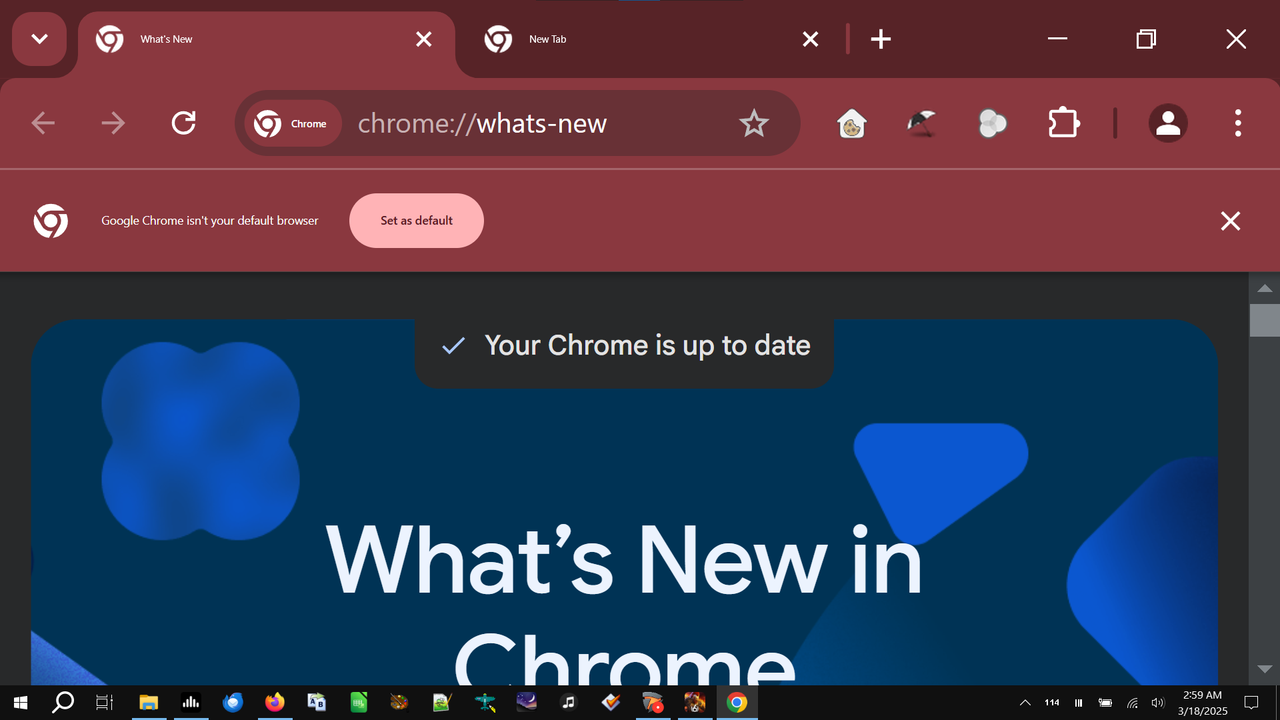
If you have Windows 10 or 11, whatever you do, do not set the Scaling and Layout setting higher than the recommended 125%. In Windows 7 all that effected what the text, in Windows 10 and 11 it made just about everything huge, making some programs all but unusable. Have a look at Google Chrome, for example... I don't know about you, but I don't particularly like losing a third of my screen for a program header. As as usual, it doesn't scroll up or down, just the "viewing area" does.

I found a fix for Firefox to change it back to a somewhat normal size, but I've looked everywhere and can't find one for Chrome.

chrome-scaling-error.png
 

Users who are viewing this thread

Back
Top